When you create a booking in SkillsPass, an email is sent from the system with the booking information as well as a link that allows you to edit the booking at a later date.
You can also manage your bookings by using the Navigation Waffle on the employer portal.
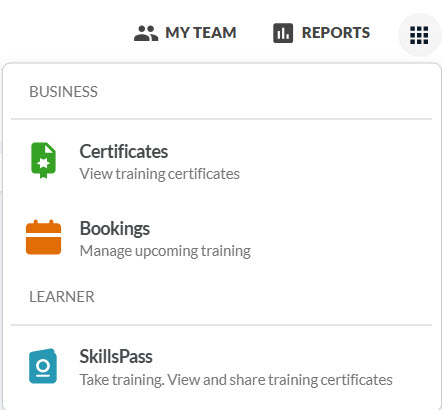
After selecting Bookings, you will be presented with three options: In Person/Virtual, Online, and Learning Paths. Choose the method you used to create the booking, locate the booking, and select Manage.
To return to the employer portal ,click on the navigation waffle, and select Certificates.
Was this article helpful?
That’s Great!
Thank you for your feedback
Sorry! We couldn't be helpful
Thank you for your feedback
Feedback sent
We appreciate your effort and will try to fix the article